

The plugin pile
Replace 10+ bloated plugins with one toolkit.
Most WordPress sites collect admin plugins like browser tabs – one for hardening, one for revisions, one for the debug log, one for cron. Every one of them is another update path, another conflict, another row in the activity log. AdminEase replaces the pile.
Before - the plugin pile
10+ plugins, 10+ update streams.
After - AdminEase
One plugin. One control panel.
38 modules · 6 categories
Every setting you've been hunting for, in one place.
Ship hardened, fast, and observable WordPress without sprinkling code across functions.php. Every module is opt-in, reversible, and documented.
Security hardening
Block XML‑RPC, throttle the REST API, and lock the login form down without sprinkling code across functions.php.
- XML-RPC + REST gates
- GeoIP country blocking
- Site Lock with password
Performance tuning
Cap post revisions, throttle Heartbeat, defer cron jobs, and disable the bits of WP that quietly cost you 200ms a request.
- Revision + autosave caps
- Heartbeat throttling
- Emoji + embed disablers
Debug log viewer
A real, filterable, tail‑able debug.log right in wp-admin. Stop SSHing in to chase a single fatal.
- Live tail with filters
- Fatal + warn highlighting
- One-click clear / export
Drag & Drop Ordering
Reorder posts, pages, and custom post types with intuitive drag-and-drop without leaving wp-admin.
- Posts & Pages
- Custom Post Types
- Taxonomy Terms
Network Viewer
Real-time HTTP request logging. See exactly who's connecting to your site, where they're from, what they're accessing, and when.
- Real-time HTTP request logging
- Filter by method, status, type, location, IP
- View detailed connection info
Media & Uploads
Control upload limits, file types, and optimize image handling with built-in security validation.
- Allow SVG Upload
- Allow Custom File Extension Upload
- Upload Max File Size
Spotlight 01 · Security
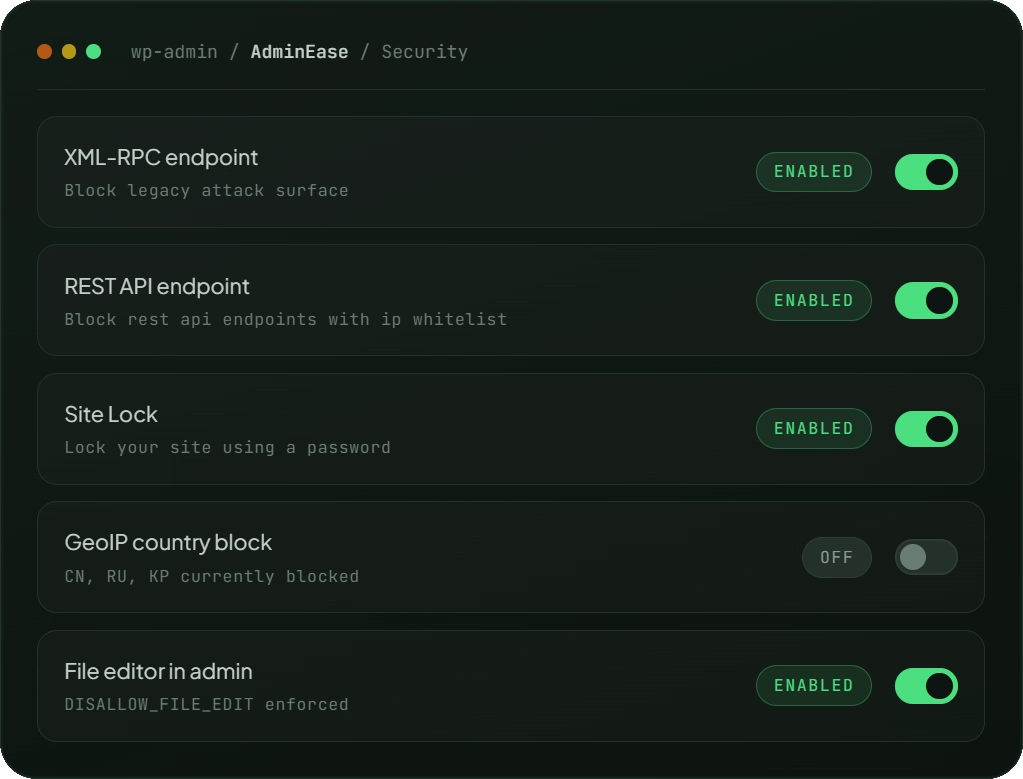
Security controls that stay off, until you need them.
Every hardening rule is a single toggle with a short explanation. No code, no .htaccess gymnastics, no 40-tab settings page. Flip what you need; AdminEase handles the rest, cleanly, reversibly, without wrestling other plugins.
- Block XML-RPC, restrict REST API, enforce strong passwords
- Maintenance mode lockdown while you patch or update in the background
- Country blocking and bot filtering to stop malicious traffic
Spotlight 02 · Debug log
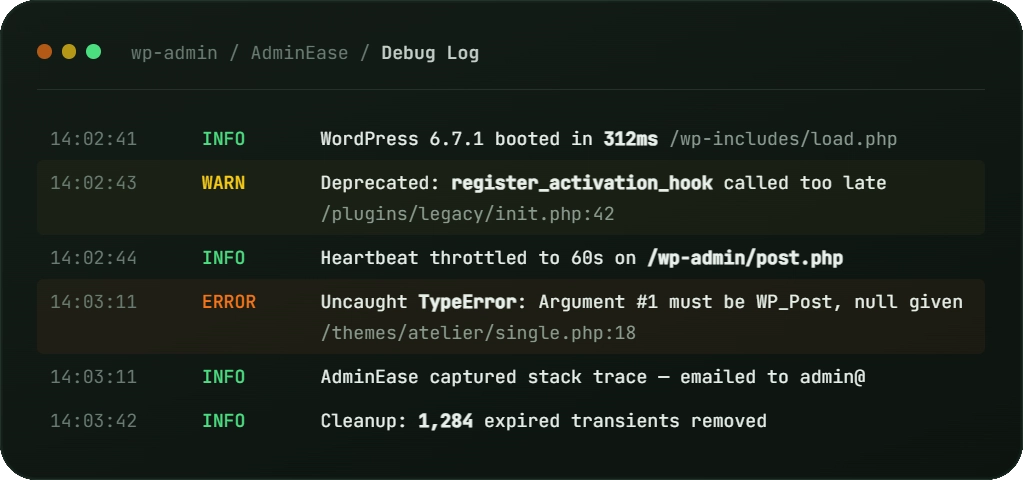
Read debug.log without an SSH/FTP session.
View your debug log straight from wp-admin – no SSH, SFTP, or FTP, no external tool needed. Turn logging on or off with a click and see every notice, warning, and fatal as it happens.
- Live tail, file, and plugin filters
- Auto-refresh mode for live debugging
- One-click clear and export
Spotlight 03 · Performance
Stop configuring your server around WordPress's assumptions.
WordPress autosaves every 60 seconds, runs WP-Cron on every single page load, and ships emoji scripts to browsers that stopped needing them years ago. AdminEase turns autosave interval, cron, memory limits, and execution time into settings you actually control.
- Autosave interval and WP-Cron, swapped for a real server cron job
- WP Memory Limit, Max Memory Limit, and Max Execution Time, tuned to your host
- Disable emoji scripts to cut requests and page weight
Spotlight 04 · Network viewer
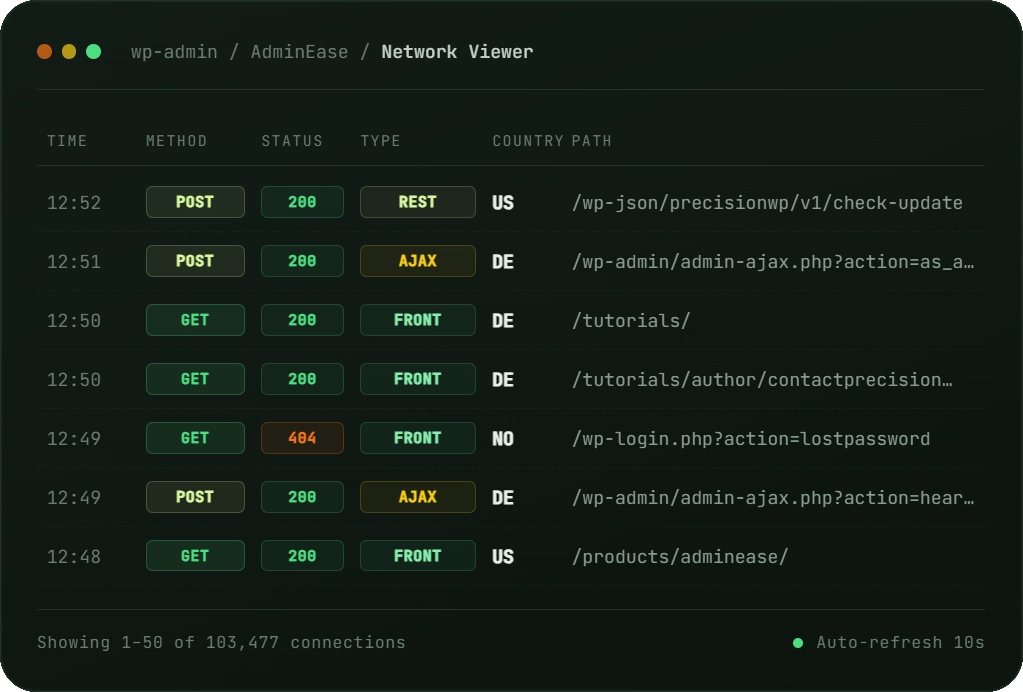
See every connection your site receives, in real time.
Real-time HTTP request logging. See exactly who’s connecting to your site, where they’re from, what they’re accessing, and when. Identify security threats before they become problems, debug connection issues with precision, and gain valuable insights into visitor behavior, all from a single, powerful interface.
- Real-time HTTP request logging
- Filter by method, status, type, location, IP
- View detailed connection info
Spotlight 05 · Email log
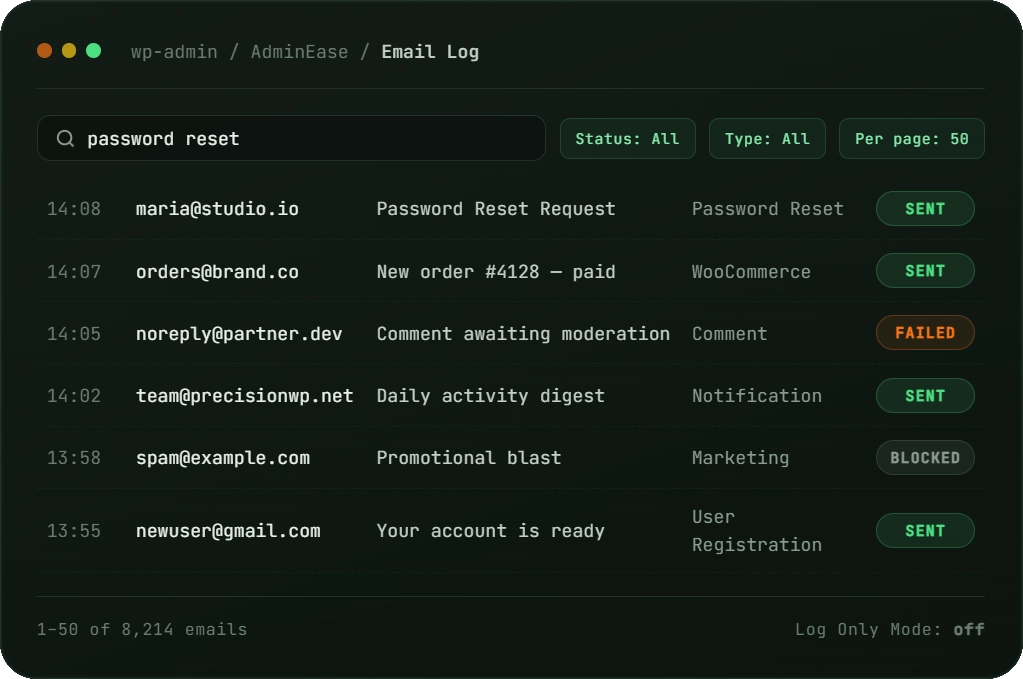
Every email your site sends is logged, searchable and debuggable.
- Free search across recipient, subject, and full email body
- Filter by status (Sent / Failed / Blocked) and email type
- Log Only Mode — capture mail without actually sending it
Server compatibility notice
Different server configurations may affect functionality.
AdminEase is built to play nicely with any sane WordPress host – but a few features depend on what your server allows. If something doesn’t work as expected, check with your host first.
If you experience any issues, please check with your hosting provider about server limitations.
Shared hosting
May restrict certain features or modules.
PHP extensions
Some features require specific PHP modules.
Server email config
Affects notification & SMTP control features.
.htaccess rules
Requires Apache or compatible web server.
WordPress
Tested on 5.0 → 7.0 (latest).
PHP
Tested on 7.4 → 8.5.