

Don’t settle for basic protection. BackupEase Pro transforms your website security by adding premium cloud storage, highly granular backup schedules, and a flawless one-click migration engine. Whether you are safeguarding an enterprise WooCommerce store or migrating client sites, BackupEase Pro handles the heavy lifting automatically.
💬 “The pull migration feature is a lifesaver. I just paste the key on the new server, and BackupEase Pro pulls the files, imports the database, and does the search-replace perfectly. No FTP required!”
⭐⭐⭐⭐⭐ – Sarah M., Agency Owner
💬 “Finally, a backup plugin that lets me schedule hourly database backups to OneDrive while keeping weekly full backups on SFTP. The advanced scheduling is unmatched.”
⭐⭐⭐⭐⭐ – James R., E-Commerce Manager
Unlock Premium Storage, Advanced Scheduling, and Effortless Migrations
BackupEase Pro extends the free BackupEase plugin with three professional feature sets designed for agencies, developers, and serious site owners. Protect your data exactly how you want, where you want, and move sites with unprecedented ease.
Core Features & Benefits
BackupEase provides a comprehensive WordPress backup solution with automated scheduling, multiple storage options, and easy restoration.
- Intelligent Processing Engine: BackupEase automatically detects WP-CLI for optimal performance with PHP fallback. The plugin leverages WP-CLI for efficient background processing on supported servers. For servers without WP-CLI, it utilizes an automatic chunked processing PHP fallback mode.
- Flexible Automation: You can automate backups with daily, weekly, or monthly schedules. Backup times respect your WordPress site timezone for accurate scheduling. You can set the exact time for scheduled backups.
- Cloud & Local Storage: Store backups directly on your web server. Upload backups to Google Drive for off-site storage. The storage system is extensible for additional providers.
- Smart Storage Management: Configure separate retention policies (count, days, or both) for Local and Google Drive independently. You can preview which backups would be removed before running a retention cleanup.
- Enterprise-Grade Security: Google Drive OAuth tokens and client secrets are encrypted at rest using
AES-256-CBC. Legacy plaintext values are auto-migrated on first save. - Real-Time Monitoring: Monitor backup creation with live progress indicators. You can also track backup completion, method used, and file sizes.
Built for Reliability & Performance
Server timeouts are the most common cause of failed WordPress backups. BackupEase uses a highly optimized architecture to prevent mid-step timeouts and resource exhaustion.
- Adaptive Aggressiveness: Choose Low, Medium, or High processing intensity. Each backup step adjusts PHP time limit based on aggressiveness level to prevent mid-step timeouts.
- Smart Sizing: Calculate database and file sizes before backup. Backup sizes are calculated once and cached. The cached sizes are passed to the dashboard at page load to eliminate an extra AJAX round-trip.
- Intelligent Exclusions: Exclude cache, staging, and other unnecessary directories. This allows you to exclude unnecessary files and folders to save time and space.
- Server Capability Detection: The plugin detects available PHP exec functions. It automatically falls back when
exec()is disabled.
Free vs. Pro: Why Upgrade?
See why thousands of WordPress users upgrade to BackupEase Pro for total peace of mind.
| Feature | BackupEase (Free) | BackupEase Pro |
|---|---|---|
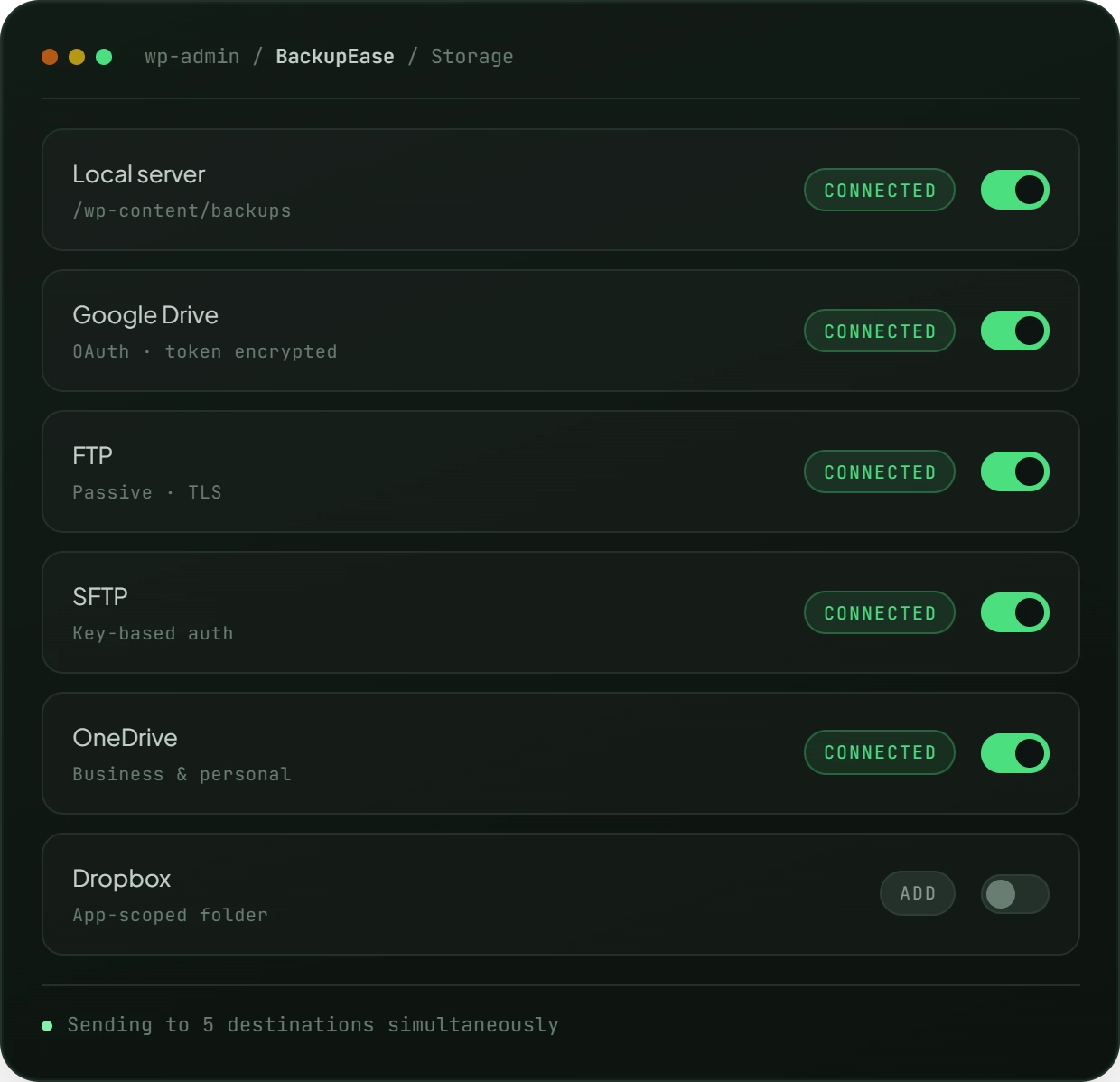
| Storage Options | Local Server & Google Drive | Local, Google Drive, FTP, SFTP, OneDrive, & Dropbox |
| Simultaneous Cloud Storage | Limited | Yes – Send backups to multiple providers simultaneously |
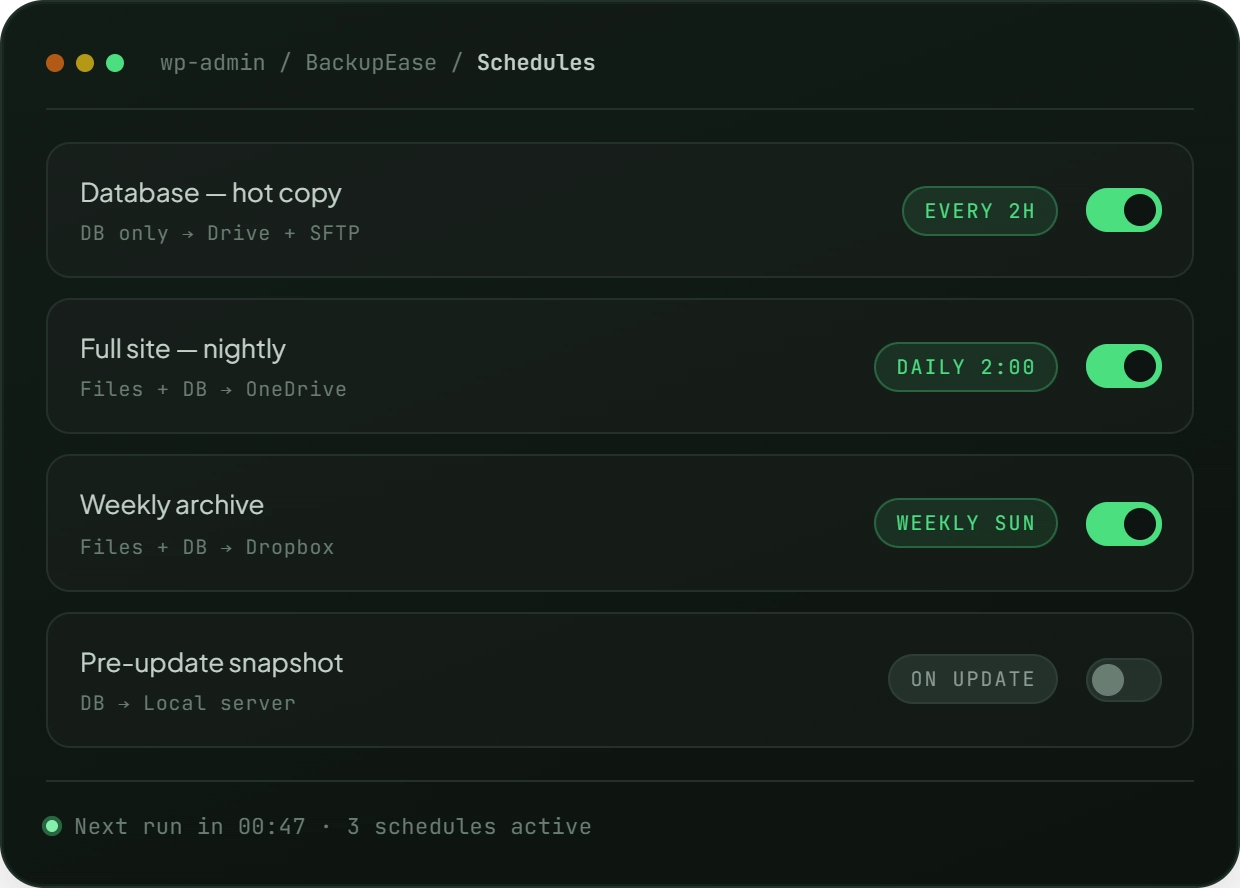
| Scheduling | Daily, Weekly, Monthly | Hourly, Every 2/3/4/6/8/12 Hours, Daily, Weekly, Monthly |
| Schedule Management | Single Schedule | Multiple Independent Named Schedules |
| Site Migration | ❌ Not Included | ✅ One-Click Pull Migration Engine |
How It Works: Set It and Forget It
Securing Your Site in 3 Steps:
- Connect Your Cloud: Authenticate securely with OneDrive, Dropbox, SFTP, or standard FTP.
- Create Custom Schedules: Build multiple independent schedules. Run a database backup every 2 hours and a full file backup weekly.
- Relax: BackupEase Pro automatically runs via WordPress Cron and intelligently manages your storage retention.
Migrating a Site in 3 Steps (No FTP Required):
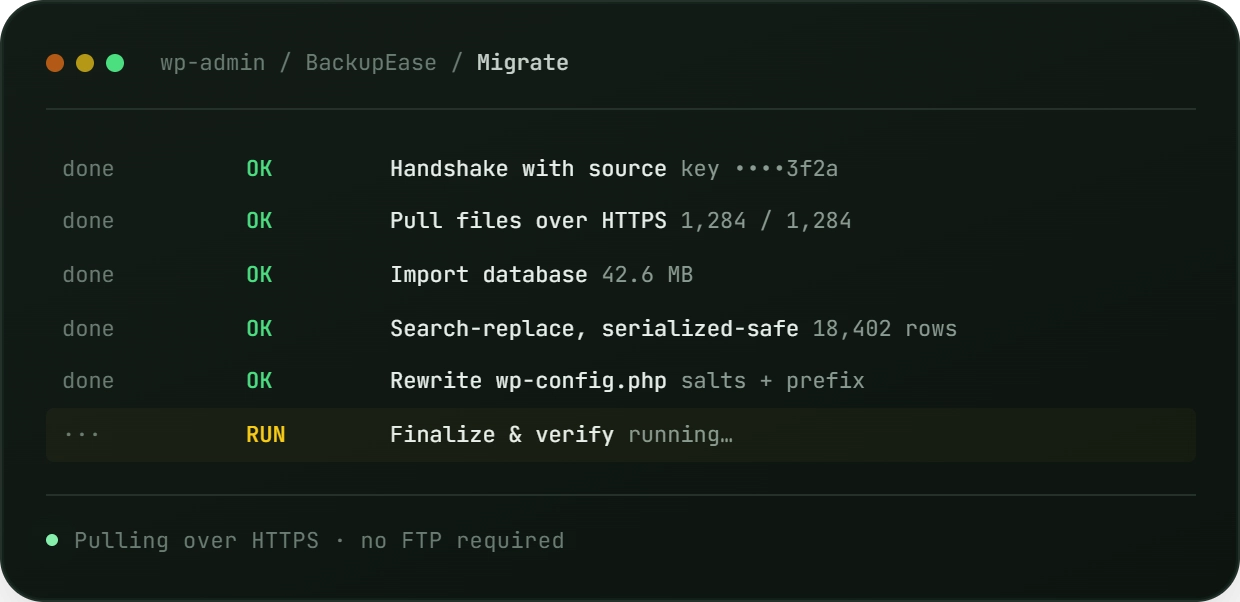
- Generate Key: Create a secure, single-use Migration Key on your old site.
- Paste Key: Paste the key into BackupEase Pro on your new, empty destination site and click Start.
- Automatic Import: The plugin pulls all files and databases over HTTPS, imports the database, runs a serialization-safe search-replace, and automatically updates your
wp-config.php.
No, WP-CLI is optional. BackupEase automatically detects if WP-CLI is available and uses it for optimal performance. If WP-CLI is not available, the plugin uses PHP fallback mode with chunked processing.
By default, backups are stored in wp-content/backupease-staging on your server. You can also configure Google Drive integration to store backups off-site.
Backup time depends on your site size and server resources. Small sites typically complete in minutes. Large sites may take longer. The aggressiveness setting controls how intensive the backup process is.
Yes, BackupEase supports per-provider retention settings. You can keep more local backups while keeping fewer on Google Drive, or configure different age-based policies for each location.
If a scheduled backup fails, you’ll receive an email notification. You can view the error details in the backup history. Failed backups can be retried manually. You can re-attempt uploading a completed backup to a storage provider that previously failed.
No. BackupEase Pro is a strict add-on and requires the free plugin to be installed and active. It extends the free plugin through WordPress hooks without modifying its source files.
Yes. Each backup schedule independently selects which storage destinations to use. You can backup to FTP + OneDrive simultaneously, or have separate schedules targeting different providers.
The migration engine streams files and the database in chunks and never loads the entire site into memory at once. The practical limit is simply the disk space available on your destination server.
Migration state is safely persisted to your staging directory. If your browser is closed, simply re-open the migration page and click Start again to resume exactly from where it left off.
You will need the `ssh2` PHP extension (libssh2 binding). Most managed WordPress hosts provide this by default.
Need Help?
If any BackupEase feature doesn’t work as expected, please let us know!
Write to us in the support forum or the contact page and we’ll be happy to help troubleshoot and resolve your issue.